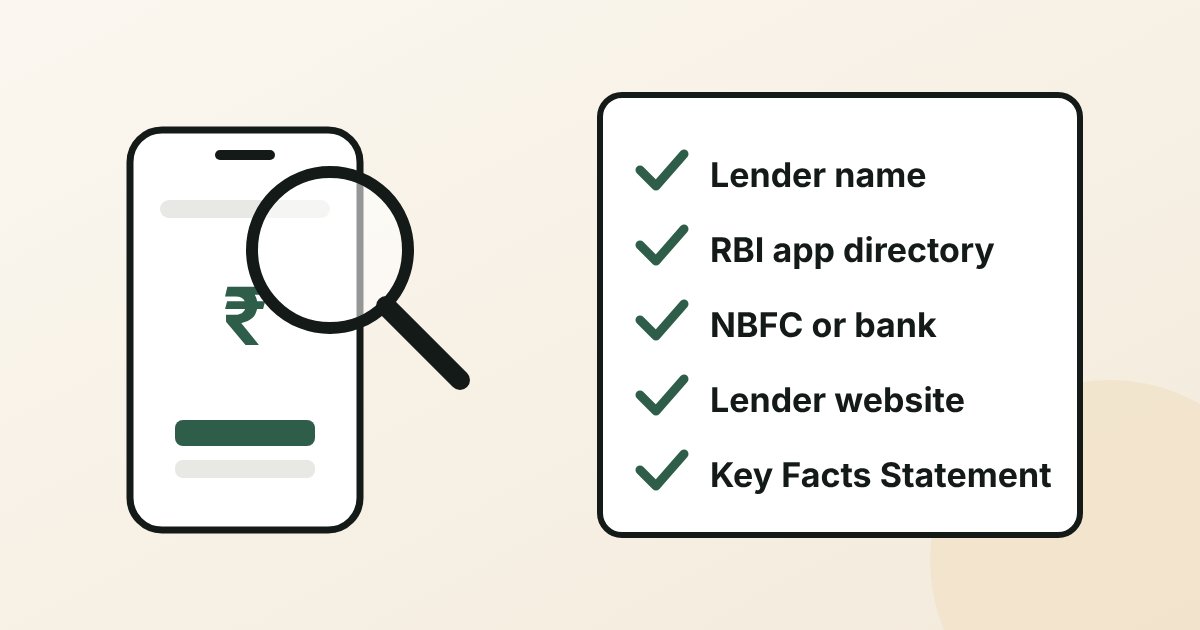
Short answer: a loan app is not registered with RBI itself; the bank or NBFC behind it is. To check an app, find the lender's name inside it, look the app up in RBI's directory of digital lending apps (live since 1 July 2025), confirm the lender is a bank or an NBFC on RBI's list, and make sure the lender's own website names the app. Then read the Key Facts Statement before you accept anything.
It takes about five minutes, and it is the most useful five minutes before borrowing on your phone. The steps below use only free, official sources.
Is there such a thing as an "RBI-registered loan app"?
Not exactly. RBI regulates lenders: banks and non-banking financial companies (NBFCs). An app is a channel through which a regulated lender, or a service provider working for it, gives loans. RBI's Digital Lending Directions, 2025 call these digital lending apps (DLAs) and make the lender responsible for them.
So the real question is: which regulated lender stands behind this app, and does that lender admit the app is theirs? Since 2025 there are official ways to check both.
How to check a loan app in 5 steps
Step 1: Find the lender's name inside the app
Before you upload anything, look for the name of the bank or NBFC that will actually lend. Under the Digital Lending Directions, an app that shows offers from several lenders must show each matching lender's name, the amount, tenure, annual percentage rate (APR), monthly repayment and penal charges, with a link to each offer's Key Facts Statement. If you cannot find a lender's name anywhere, stop here.
Step 2: Search RBI's directory of digital lending apps
RBI announced on 8 May 2025 that it would publish a public directory of digital lending apps on its website under Citizen's Corner, on or before 1 July 2025. The Minister of State for Finance told the Rajya Sabha in March 2026 that it went live on 1 July 2025.
Banks and NBFCs report their apps to RBI on its CIMS portal, and the directory is built from those reports. RBI states the list is published "for the limited purpose of aiding the customers in verifying the claim of a DLA's association with a RE" and that it does not validate the data beyond what lenders submit. Treat a match as a strong good sign, not a guarantee.
Step 3: Confirm the lender is a bank or a registered NBFC
If the lender is an NBFC, search its name in RBI's list of NBFCs on the RBI website. If it says it is a bank, check the bank's own website. If the lender is neither a bank nor a registered NBFC, do not borrow through the app.
Step 4: Check the lender's own website names the app
Lenders must make the details of the apps they report to RBI available on their own websites, along with borrower disclosures. Open the bank or NBFC's website yourself (do not use a link from the app or an SMS) and look for a page listing its digital lending apps and partners. If the lender's site does not mention the app, ask the lender before borrowing.
Step 5: Read the Key Facts Statement before you accept
Every regulated lender must give you a Key Facts Statement (KFS) before you sign. It shows the amount, the APR (interest plus all fees as one yearly rate), the EMI schedule, all charges and the grievance officer's contact. The money must be paid into your own bank account, and repayments must go directly to the lender's account, not to a person or a third party.
A worked example: reading the APR on a small app loan
Here is how a short app loan can cost far more than its headline rate. This is an illustration of the arithmetic, not any lender's offer.
- Loan offered: ₹20,000 over 3 months at 30% a year.
- Processing fee: ₹1,000 plus 18% GST = ₹1,180, deducted before the money reaches you.
- Amount you actually receive: ₹20,000 − ₹1,180 = ₹18,820.
- EMI at 30% a year over 3 months: ₹7,003. Three EMIs = ₹21,008.
You repay ₹21,008 for ₹18,820 received, so the loan costs ₹2,188 in three months. Because the fee is taken upfront and the tenure is short, the APR works out to about 68% a year, more than twice the 30% headline rate. A KFS shows this APR before you accept, which is exactly why the rule exists. Compare it with a bank personal loan: ICICI Bank publishes 10.25% to 16.50% a year, with a processing fee of up to 2% plus taxes (checked 19 November 2026).
Red flags: walk away if you see these
| Red flag | Why it matters |
|---|---|
| No bank or NBFC name anywhere in the app | You cannot check who is lending or complain to anyone |
| Asks you to pay a "fee" before the loan, or to repay into a personal UPI ID | Regulated lenders disburse to your account and collect into their own |
| Wants access to contacts, photo gallery, files or call logs | Apps of regulated lenders must not access these; camera, microphone or location only once, for KYC, with your consent |
| No Key Facts Statement or APR before you accept | Every regulated lender must give one |
| Raises your limit or sends money you did not ask for | A lender cannot increase your credit limit without your explicit consent |
| Threats, abusive calls or messages to your family | RBI forbids harassment by lenders and their recovery agents |
Where to complain
- The lender's grievance redressal officer. Their contact details must be shown in the app, on the lender's website and in the KFS.
- The RBI Ombudsman at cms.rbi.org.in, if the lender does not reply within 30 days or you are not satisfied with the reply.
- Illegal apps with no regulated lender: the National Cybercrime Reporting Portal or the 1930 helpline. The government also points citizens to RBI's Sachet portal for complaints about unauthorised entities.
Already juggling several app loans?
Checking the next app is good. Not needing it is better. If you already have two or three app loans, every new one adds a fee, a short EMI and another account on your credit report. See should you take a loan from one app to repay another? for a six-month worked example, and why you should never take a payday loan for the one-shot repayment trap.
While every EMI is still on time, one bank loan over a longer tenure can often replace several app loans at a lower monthly outgo. Our payday and app loan consolidation page explains what works at each stage. AdvanceCred works on cases with up to 1 payday loan, up to 5 app loans and personal loans in total, and up to 5 credit cards; the lender still decides approval, amount, rate and tenure.
How AdvanceCred can help
AdvanceCred is a credit advisory and loan intermediation firm in Mumbai, not a lender and not a loan app. We compare and process applications with partner banks and NBFCs, and an advisor can tell you whether your app loans can be merged into one bank loan. Try the free loan-merge checker, read more in our debt consolidation guides, or share your details in the form below.
Sources
Checked on 19 November 2026 unless stated. The APR example is AdvanceCred's own arithmetic on an illustrative offer (reducing-balance EMI; APR as the annualised internal rate of return on the amount received).
- Reserve Bank of India, press release "RBI issues Reserve Bank of India (Digital Lending) Directions, 2025", 8 May 2025 (public directory of DLAs under Citizen's Corner on or before 1 July 2025; based on lenders' CIMS submissions "on as is basis"; for the limited purpose of verifying a DLA's association with a regulated entity): rbi.org.in
- Reserve Bank of India, Reserve Bank of India (Digital Lending) Directions, 2025, 8 May 2025 (para 6 multi-lender offers with lender name, APR and KFS link; para 7(ii) no automatic credit limit increase; para 8 KFS; para 9 disbursal into the borrower's account and repayment to the lender; para 11(iv) escalation after 30 days; para 16(i) reporting to credit bureaus; para 17 reporting of DLAs), checked 18 November 2026: rbi.org.in
- AZB & Partners, Update on the Digital Lending Directions, 2025, May 2025 (lenders to report all DLAs on CIMS; compliance certificate that the lender's website discloses the DLA particulars reported to RBI; grievance officers with public contact details): azbpartners.com
- S.S. Rana & Co., RBI introduced Digital Lending Direction, 2025 (apps must not access files, call logs and similar phone resources; one-time camera, microphone or location access for KYC with explicit consent): ssrana.in
- OMM Com News (IANS), Govt, RBI strengthen consumer protection measures against fraudulent loan apps, 17 March 2026 (Minister of State for Finance in the Rajya Sabha: DLA directory live from 1 July 2025; Sachet portal; National Cybercrime Reporting Portal and 1930 helpline): ommcomnews.com
- Reserve Bank of India, List of NBFCs: website.rbi.org.in
- Reserve Bank of India, Responsibilities of regulated entities employing Recovery Agents, RBI/2022-23/108, 12 August 2022, checked 18 November 2026: rbi.org.in
- ICICI Bank, Personal loan interest rates (10.25% to 16.50% a year; processing fee up to 2% plus taxes): icici.bank.in
This article is general information, not legal or financial advice. RBI's rules and the directory change; check the RBI website and the lender's own website before you borrow.